
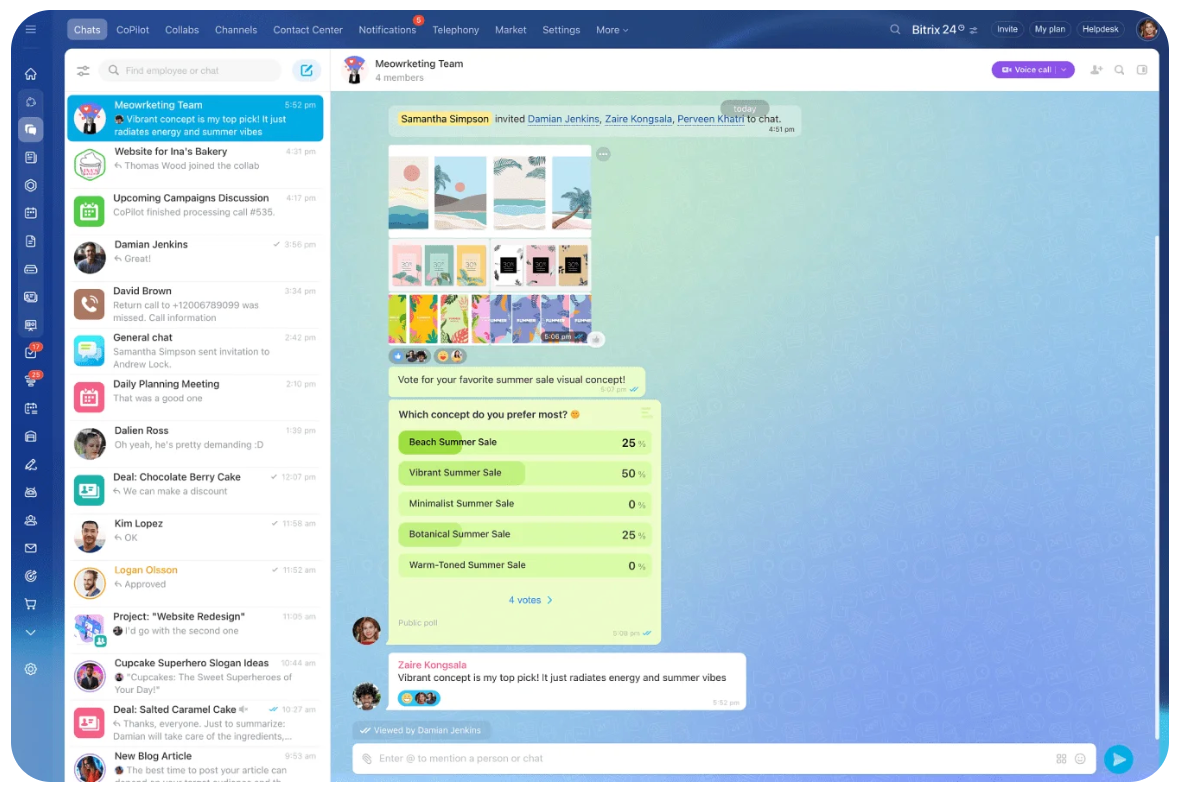
Meetings don’t have to rule your day. Bitrix24 shares a smarter way for teams to work with less noise and more focus.
NEW YORK, NY / ACCESS Newsline / February 10, 2026 / Meetings have become the default response to every question, update and request. For many teams, especially those working remotely, the result is a constant cycle of calls that interrupt focus and delay real progress. Back-to-back video meetings leave little time for in-depth work, while time zone differences make scheduling each new team member or client more difficult.
A new article from Bitrix24 explores a better alternative. It outlines seven proven asynchronous workflow practices that help teams reduce unnecessary meetings while moving work forward. Instead of relying on real-time conversations, asynchronous workflows allow people to contribute when it works best for them, without sacrificing clarity, accountability, or momentum.
When done right, asynchronous work creates structure where chaos once lived. Tasks are clear. The communication is documented. Customers stay informed without demanding constant availability. Teams gain back hours every week that were previously lost to meetings that delivered little value.
1. Turn conversations into clear action
One of the most common causes of wasted time is the gap between request and execution. A customer sends a message. It gets buried in the chat. Someone forgets to act. Another meeting is being planned to “clarify” what has already been said.
Asynchronous workflows bridge this gap by turning communication into immediate action. Requests become visible work. The context is preserved. Ownership is clear.
Bitrix24 helps teams keep conversations connected to tasks so that nothing is lost or repeated. This reduces follow-up messages, prevents misunderstandings, and eliminates the need for additional phone calls to confirm next steps.
2. Organize files so teams can help themselves
Disorganized file storage quietly reduces productivity. Team members spend time searching instead of working. Customers ask for documents they have already received. Version confusion leads to rework and delays.
Strong asynchronous teams design their file systems for self-service. Information is easy to find. The access is clear. No one has to wait for an answer to locate a document.
With Bitrix24, files stay connected to projects and tasks, giving teams and customers the confidence they’re always looking at the right information. This clarity reduces back-and-forth communication and ensures projects move forward without interruption.
3. Replace status meetings with shared visibility
Many recurring meetings exist for one simple reason. People want to know what’s happening.
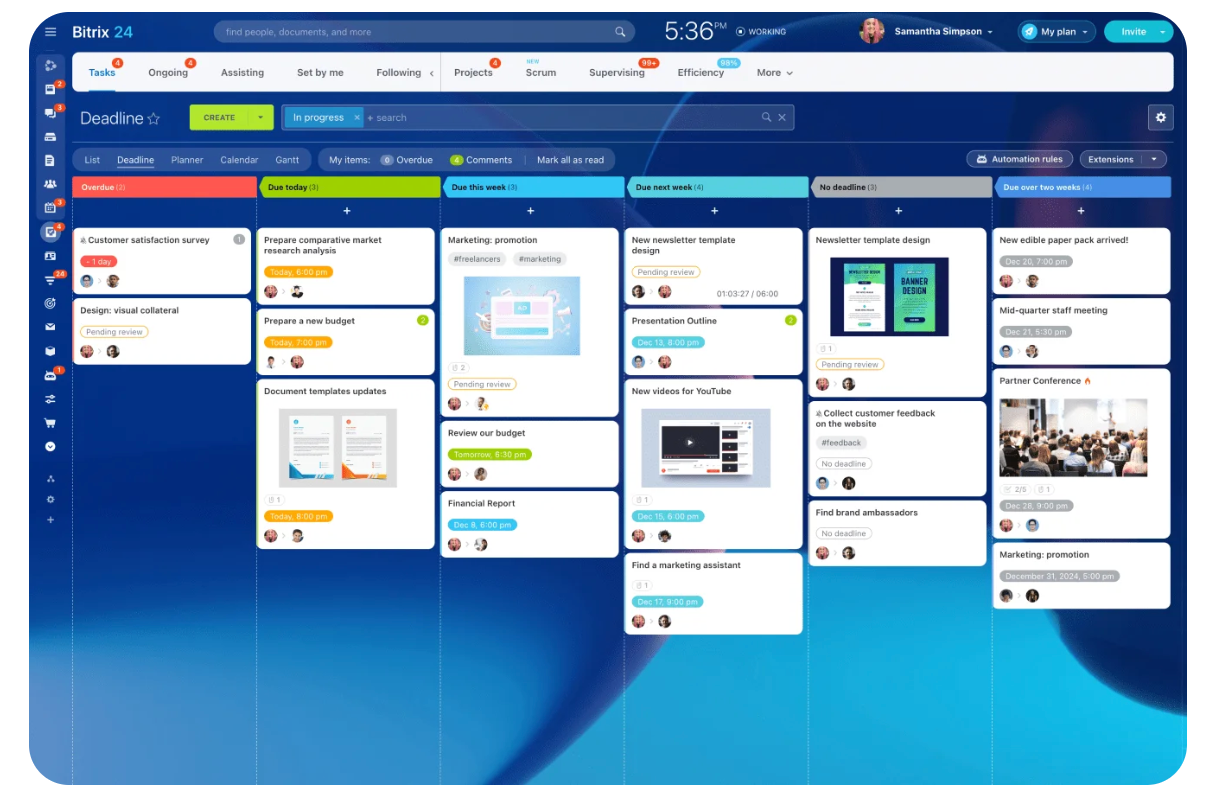
Asynchronous workflows replace these meetings with shared visibility. Progress is visible at a glance. Tasks clearly show what is in progress, what is pending, and what has been completed.
Bitrix24 gives teams and customers a transparent view of the work without constant check-ins. This builds trust, reduces anxiety, and eliminates the need for status calls that break focus and add little value.
4. Keep decisions and feedback in one place
Verbal decisions are easy to forget. Feedback shared during meetings is often lost or misremembered. This causes confusion weeks or months later when the questions arise again.
Asynchronous work depends on the written context. Comments, updates, and approvals provide a clear overview that anyone can review at any time.
Bitrix24 keeps this history tied to the work itself, making it easy to understand what was decided, why it was done, and who approved it. Teams spend less time repeating steps and more time moving forward.
5. Make time zones an advantage, not a barrier
For distributed teams, time zones often feel like an obstacle. Work is interrupted if a group logs out. Questions await. Progress slows down.
Asynchronous workflows take advantage of this. Clear handovers allow work to continue in different regions. One team finishes the day, the other team continues seamlessly.
Bitrix24 supports this flow by keeping updates, tasks, and context in one place. Teams start their day knowing exactly what happened while offline, without the need for handover meetings or long explanations.
The full Bitrix24 article provides a detailed overview of all seven asynchronous workflow practices, with practical examples that teams can implement right away.
Learn how fewer meetings can lead to better focus, happier customers, and stronger results. Read the full article on the Bitrix24 website.
About Bitrix24
Bitrix24 is an all-in-one work platform that helps teams get more done with less noise. It combines tasks, chat, files and project tracking in one place so teams stay aligned, reduce unnecessary meetings and focus on what’s important. Trusted by teams around the world, Bitrix24 makes collaboration simple, efficient and stress-free.
Experience a workflow designed for focus. Find out how Bitrix24 can help your team.
Contact details:
Vlad Kovalskiy
American marketing manager
[email protected]
SOURCE: Bitrix24